NTFS File Manager

Fast USB OTG & internal storage, direct NTFS/exFAT access

120 days of Premium free from first install — no card, no auto-charge

No root · no PC · NTFS & exFAT

Open NTFS USB drives on your phone

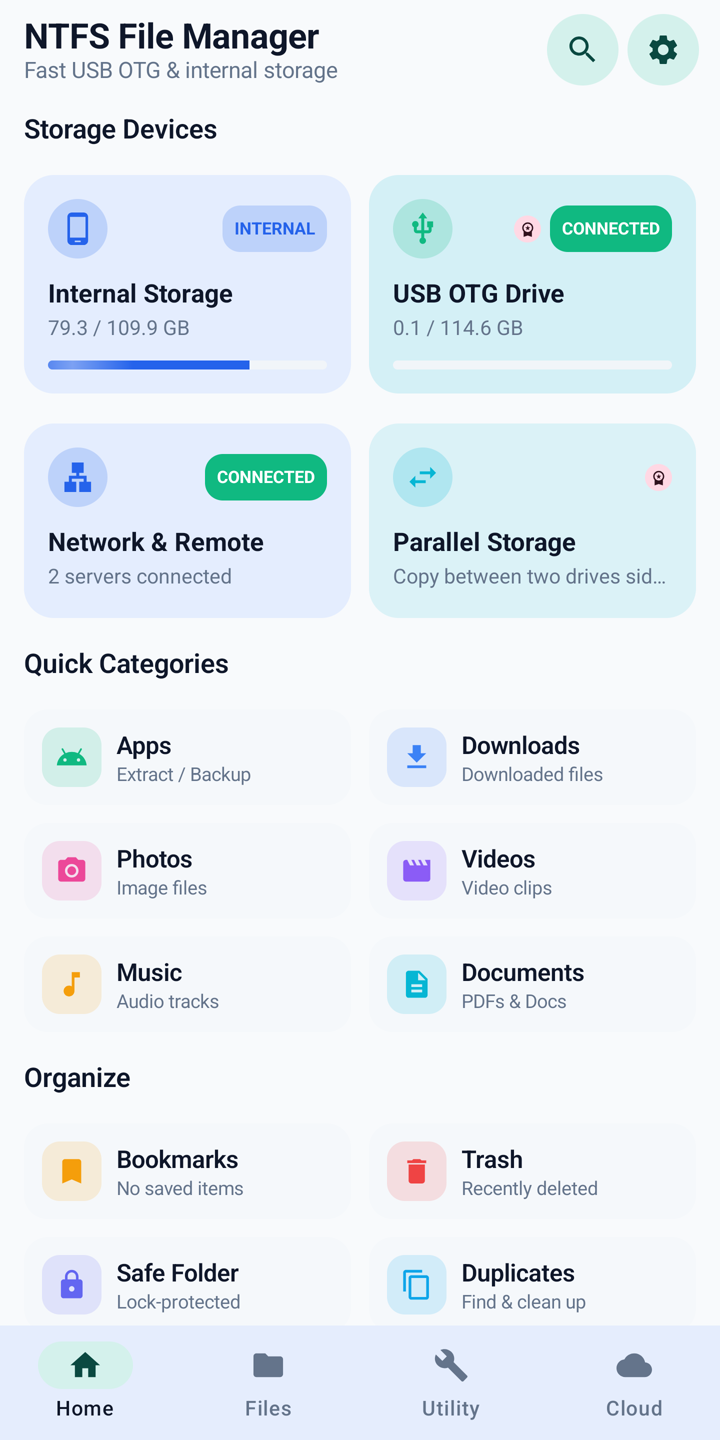
Android will not open a Windows stick or hard disk. This app mounts NTFS and exFAT OTG drives with real read and write — copy, move, rename, ZIP, and format from the phone. Internal storage, Dropbox, OneDrive, and network shares sit in the same explorer.

  • 120-day Premium trial
  • No developer server
  • No account of ours
  • Files stay on the device
Home screen with internal storage and a connected USB OTG drive

The product

Inside the app

Each screen does one job. The copy next to it is what you are looking at.

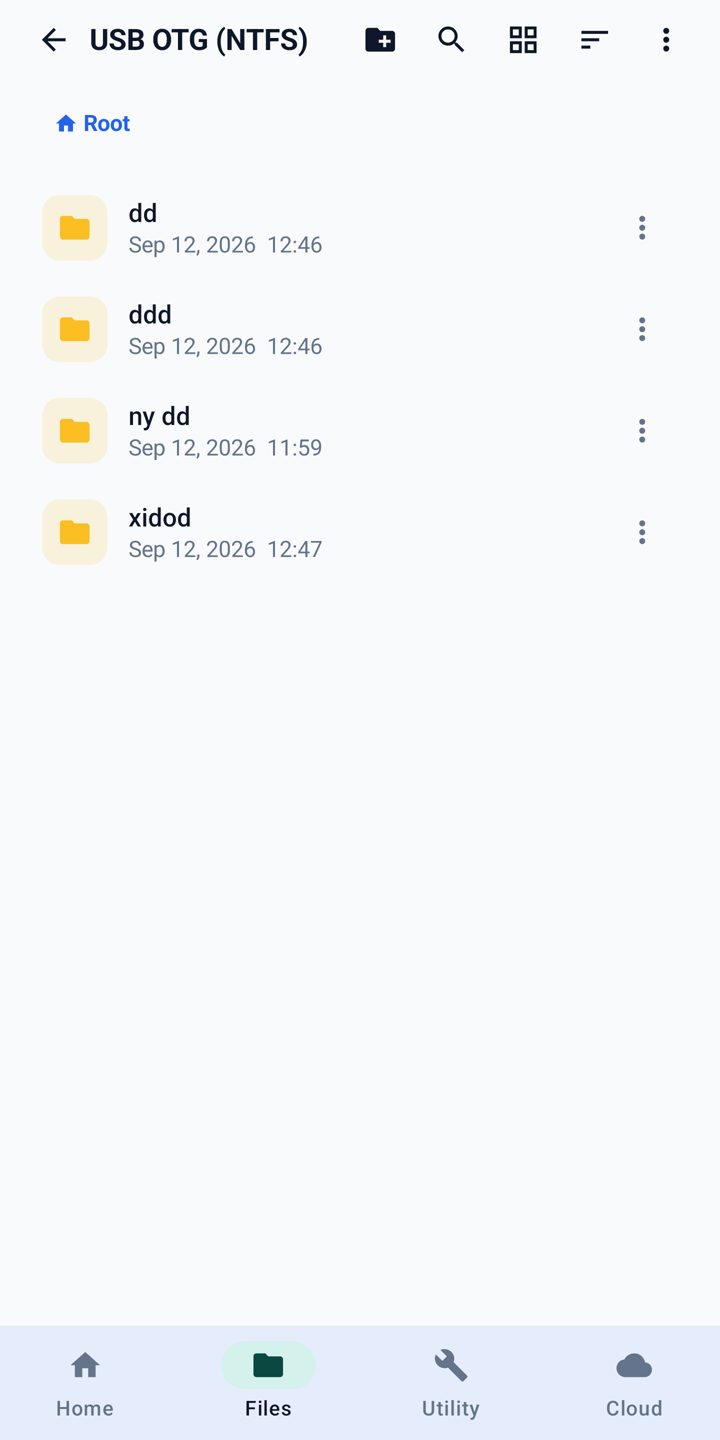
File list on an NTFS USB OTG drive

NTFS & exFAT USB OTG

Open a Windows drive. Copy, move, ZIP, format.

A native driver gives full read and write on NTFS USB sticks and hard disks — not a read-only viewer. The same explorer works on exFAT and FAT. Format a drive as NTFS or exFAT from the phone when you need to. No PC, no root.
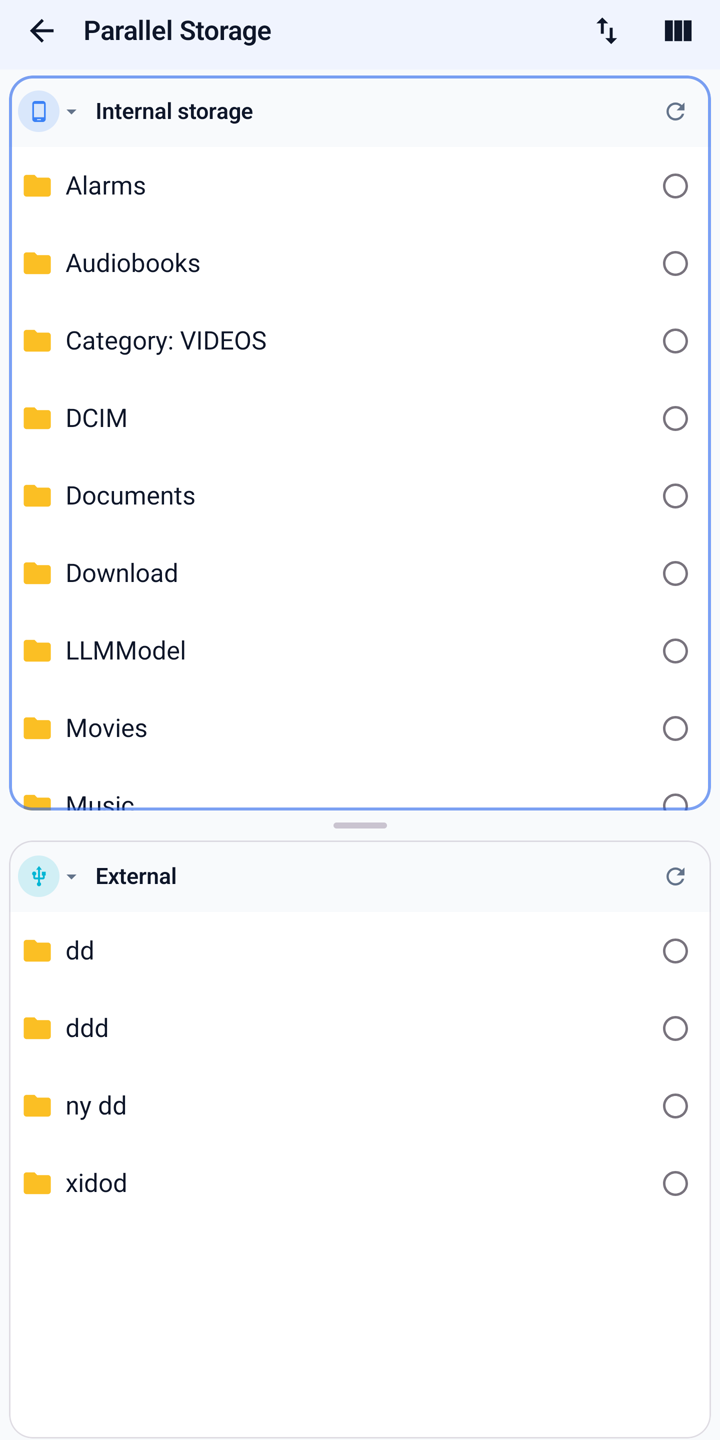
Parallel Storage with internal storage and USB side by side

Premium · first 120 days free

Two panes. One copy.

Parallel Storage puts internal storage, a USB drive, the cloud, or a network share next to each other so you can copy without flipping back and forth. Included for 120 days from first install.

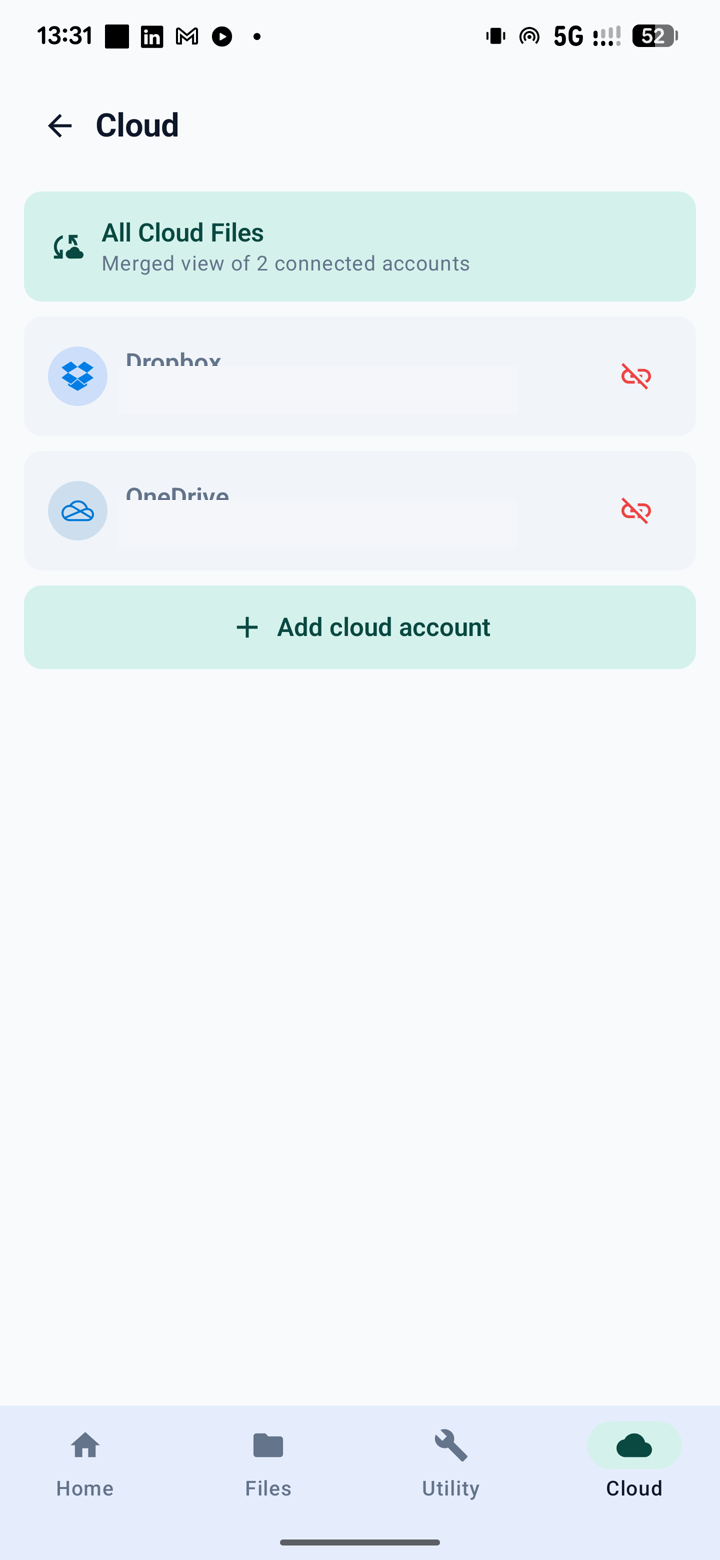
Cloud tab with Dropbox and OneDrive accounts connected

Optional · Dropbox & OneDrive

Cloud in the same explorer.

Connect Dropbox or Microsoft OneDrive when you want them. You sign in with that provider, never with us. Browse and copy alongside USB and internal storage. Disconnect anytime — files go straight to the account, not through a server of ours. Google Drive is not available in this version.

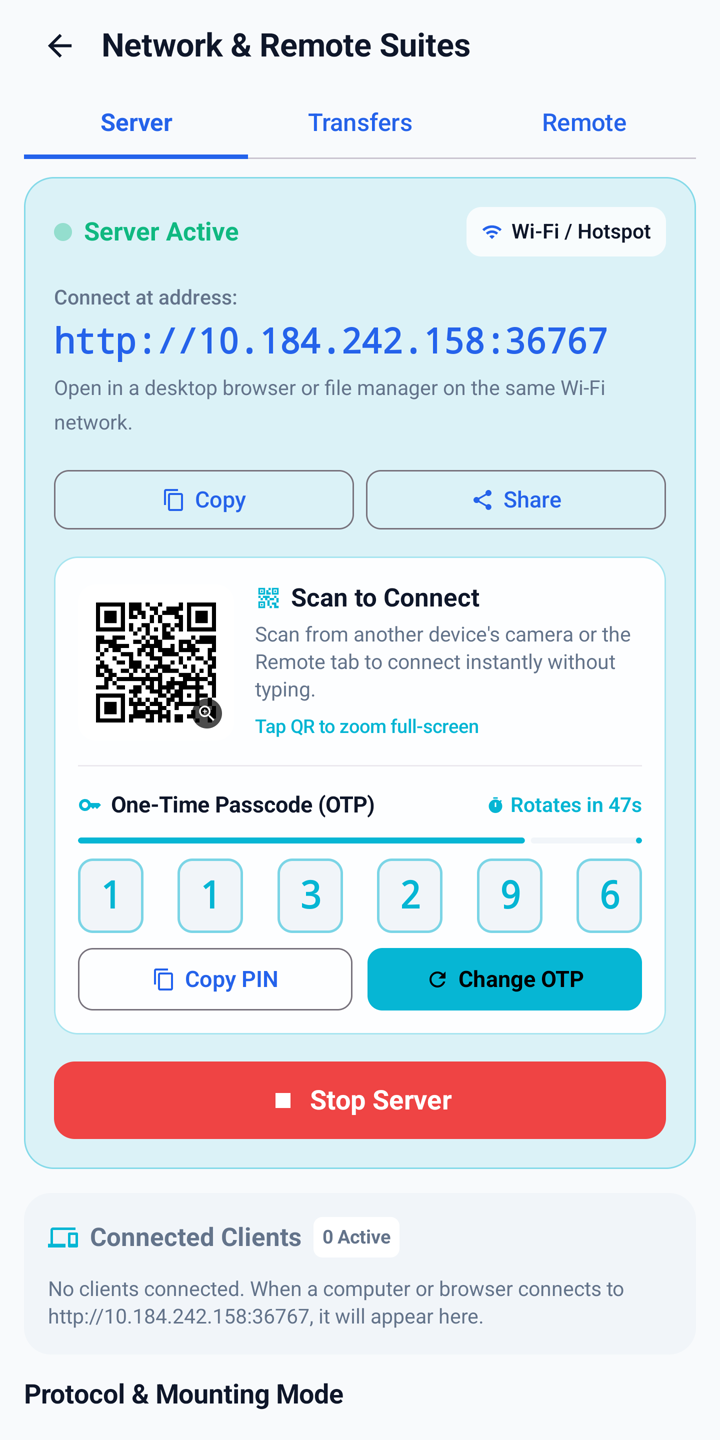
Built-in Wi-Fi file server with QR code and one-time passcode

Wi-Fi sharing

Turn the phone into a file server on your LAN.

A browser file manager, WebDAV, or FTP server, behind a PIN you set, with a QR code and a rotating one-time code. Start it on a network you trust; stop it when you are done. Don’t run it on café, airport, or hotel Wi-Fi — browser and FTP modes don’t encrypt traffic.

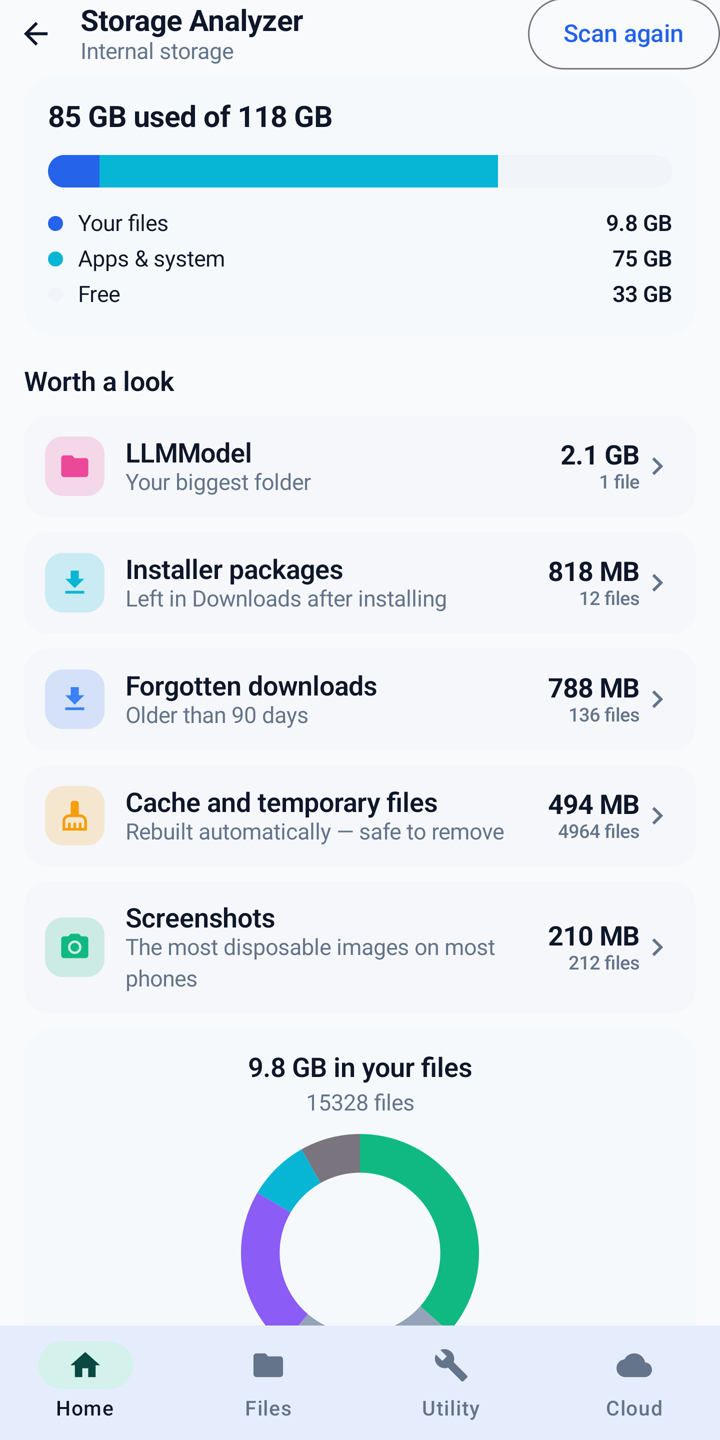
Storage analyzer showing used space by category

Always free

See what is actually using the space.

The storage analyzer breaks internal storage down by category, largest folders, and leftover junk. It is read-only until you choose to clean. Duplicate finder (by content, not just filename) sits next to it.

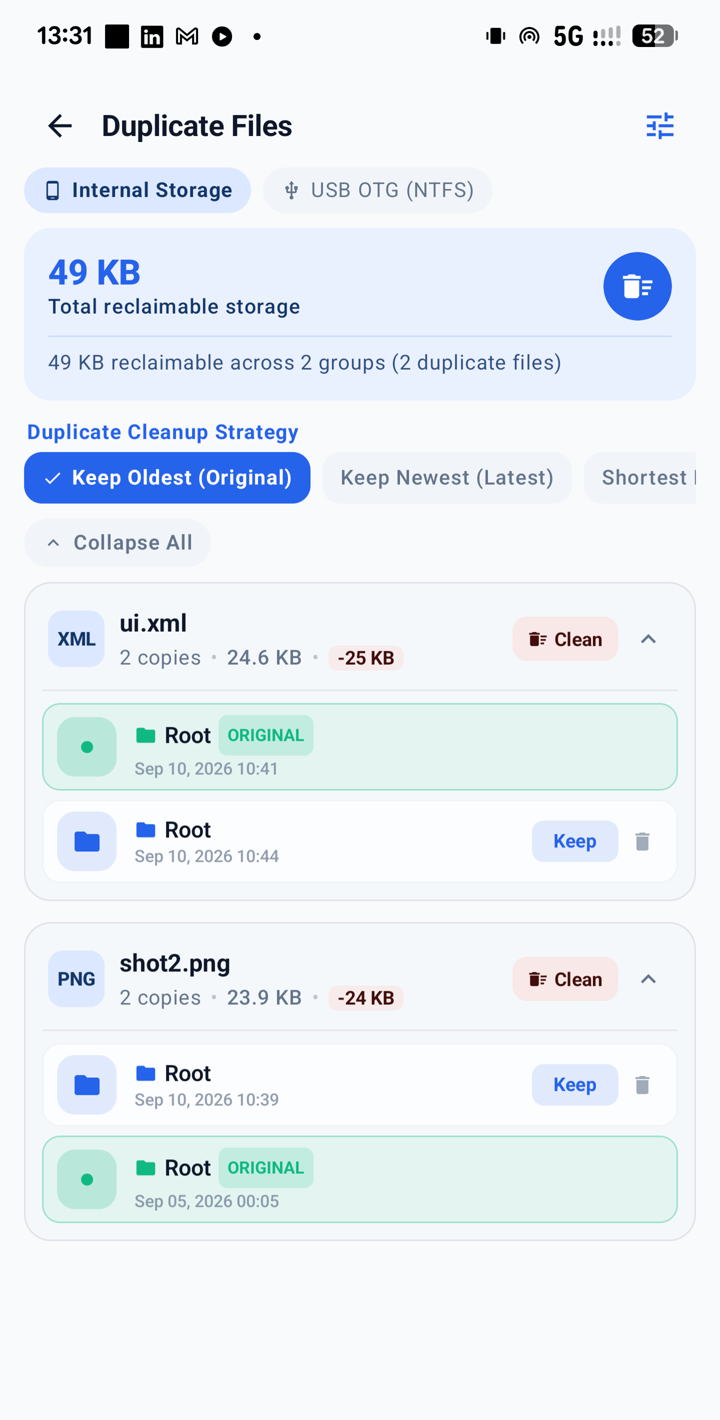
Duplicate file finder across internal storage and USB

Always free

Find the same file twice — including on USB.

Duplicate finder compares content, not just names, across internal storage and a connected OTG drive. You pick what to keep. Nothing is deleted until you confirm.

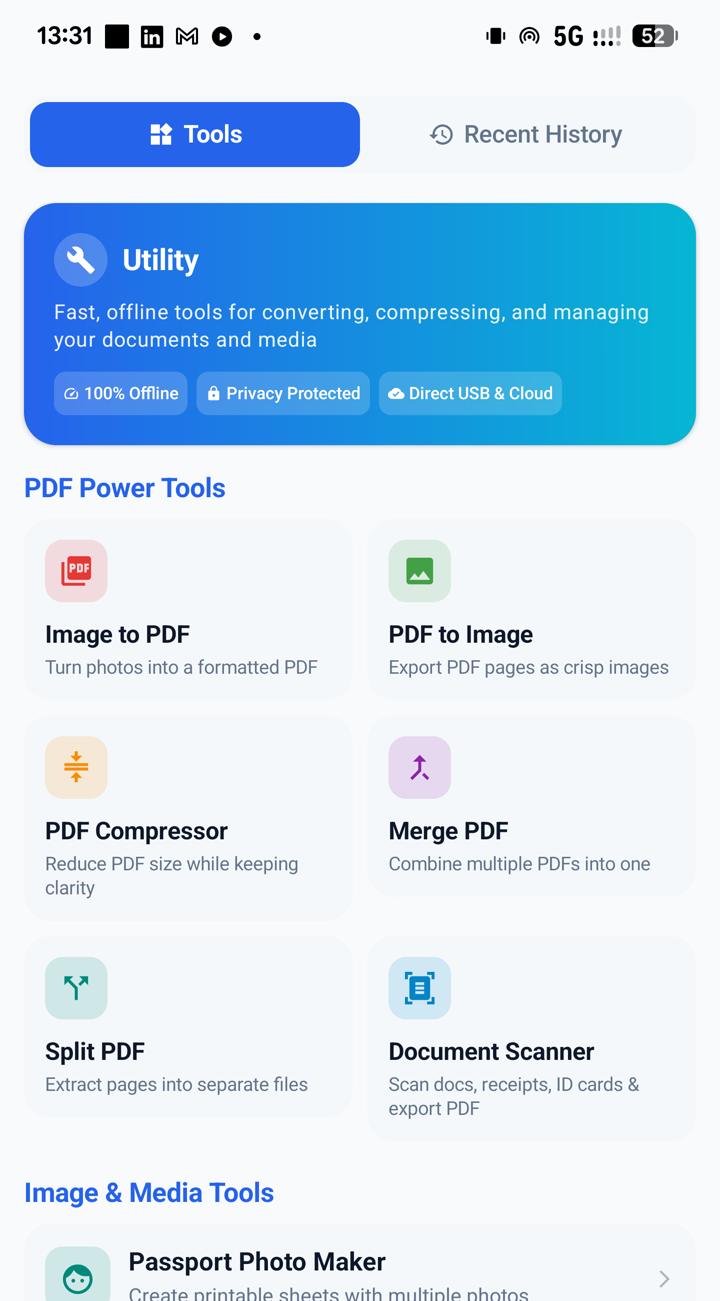
PDF and document utility tools

Always free

PDF tools and an on-device scanner.

Merge, split, compress, image-to-PDF, PDF-to-image, and a document scanner that photographs a page and turns it into a PDF. Text recognition runs on the device. Nothing from the camera is sent to us.

Music streaming and player

Your files, plus optional catalogues

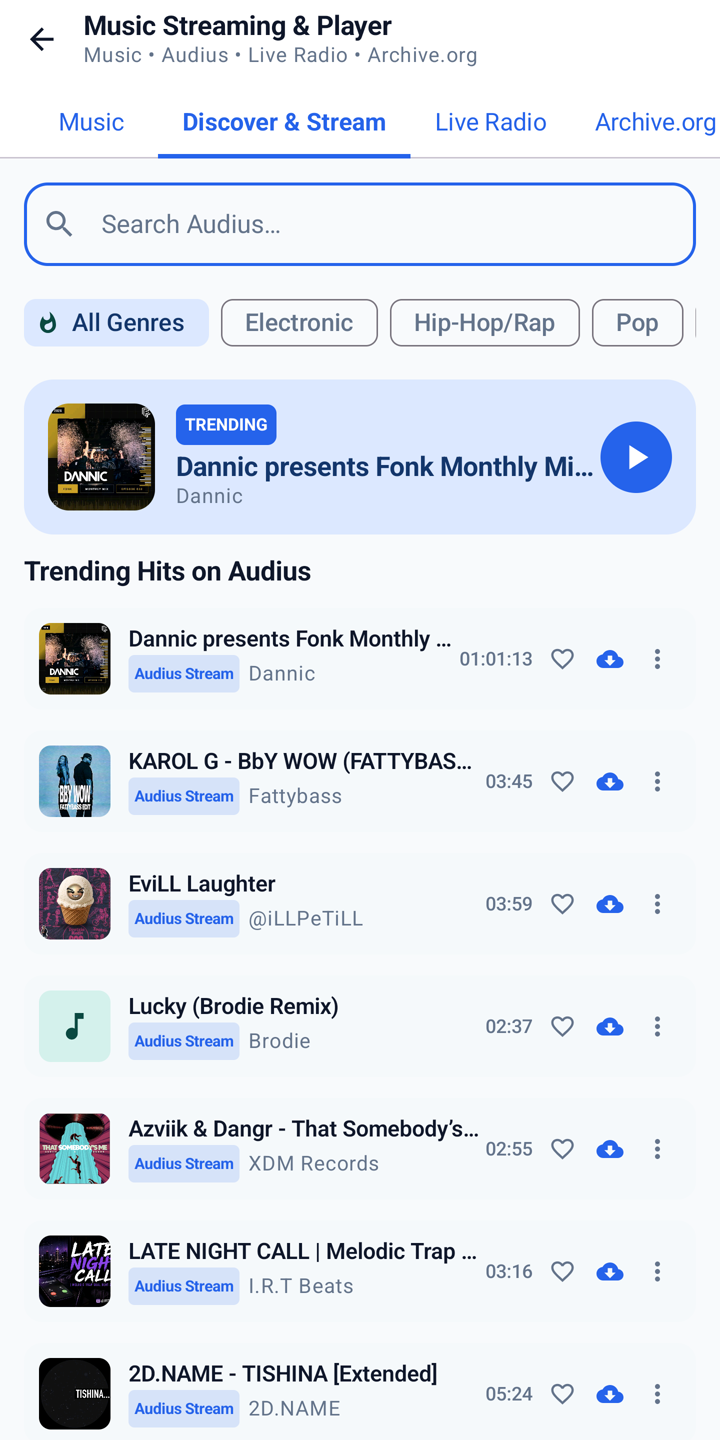
Play what is on the phone — or stream what is public.

A built-in music player for tracks on the device, with optional catalogues from Audius, Radio Browser, and the Internet Archive. When you play a stream, the phone connects straight to that service. We don’t host or control any of it.

Live internet radio stations

Third-party streams

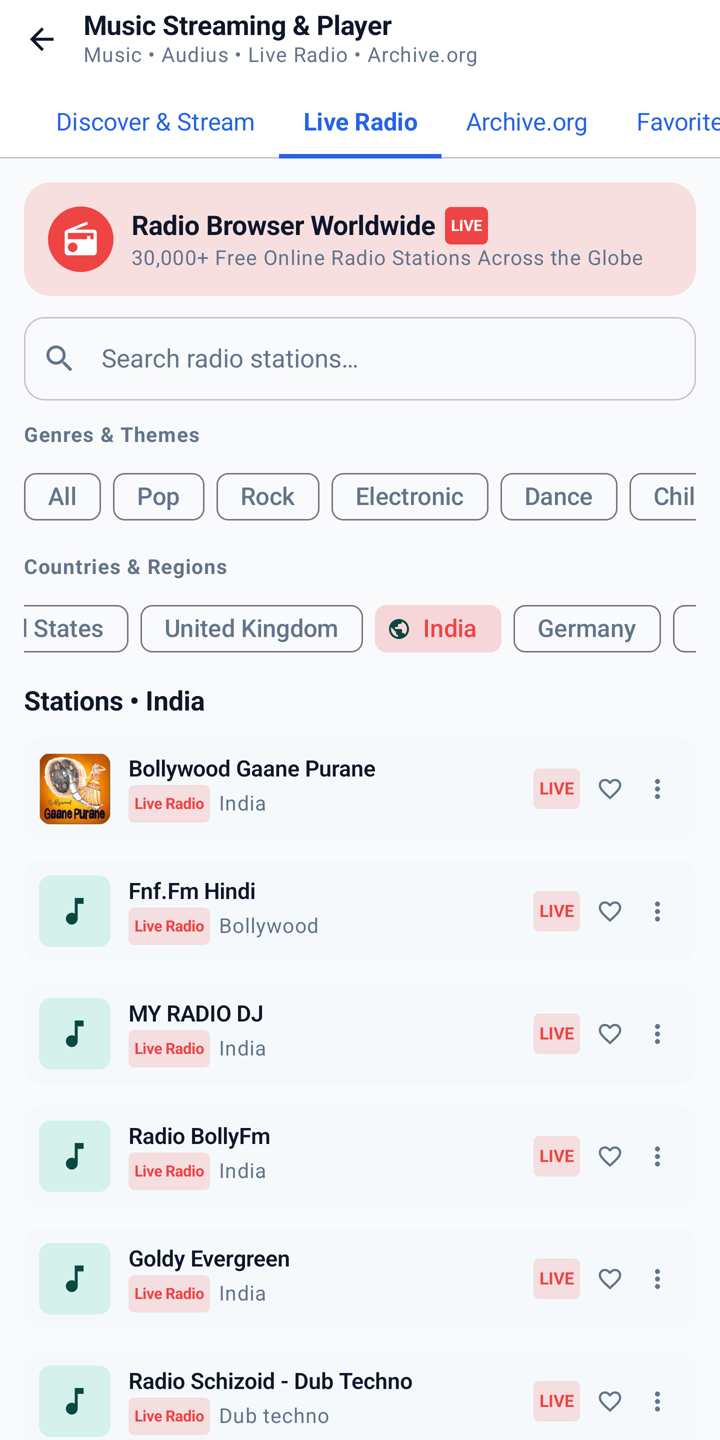
Internet radio, in the same app.

The radio list comes from Radio Browser, a public directory. Playing a station connects you to that broadcaster’s own stream. Availability and licensing are theirs, not ours.

Live TV channel list

Third-party streams

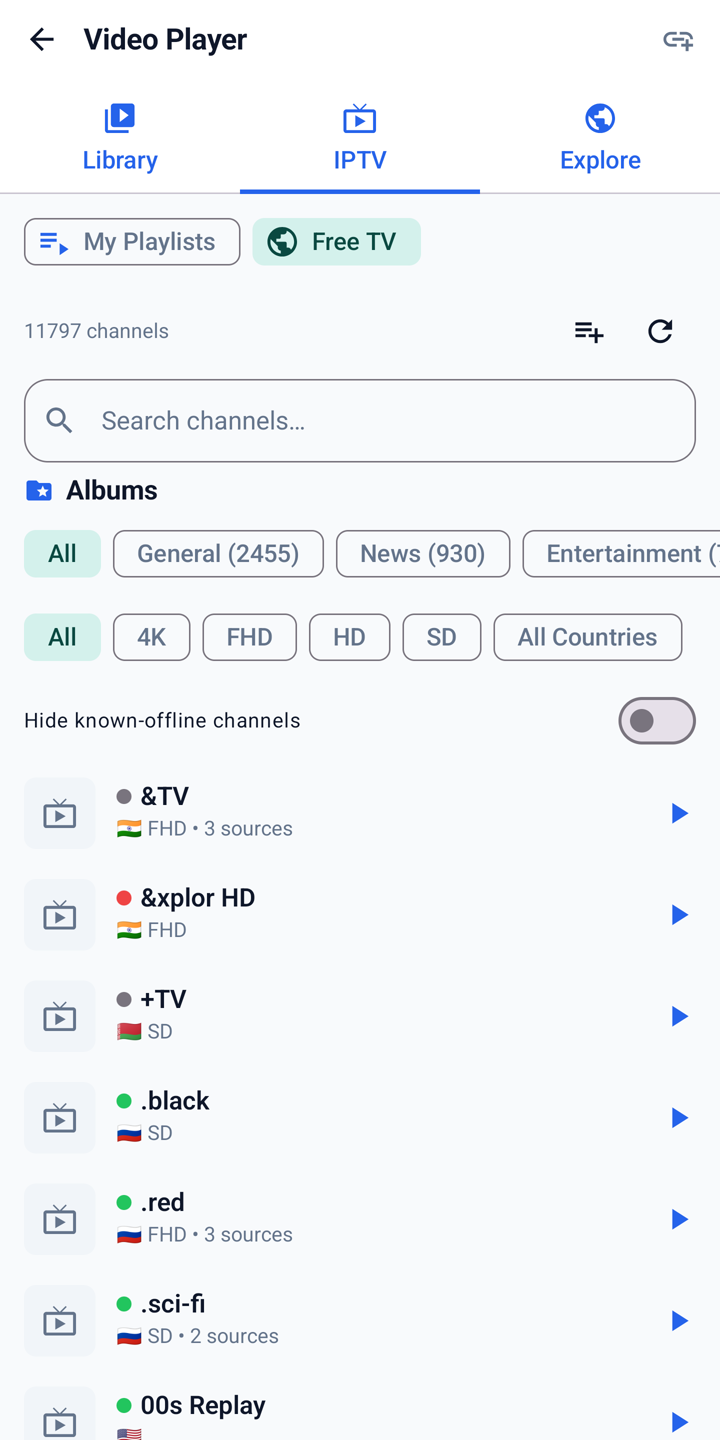
Free-to-air live TV as an index, not a broadcast.

The app reads a publicly published channel list (iptv-org). A channel in the list is not a claim that it is licensed where you are. Rights holders can reach us through the Terms.

Plans

Free and Premium

Every new install includes 120 days of Premium — no payment, and no subscription that starts on its own. After that the free tier returns, with ads, unless you subscribe. A paid plan is billed by Google Play and renews until you cancel; uninstalling does not cancel it.

Free

After the trial, or without paying

  • Internal storage, SD card, and cloud accounts
  • exFAT and FAT USB drives
  • This phone’s browser file manager
  • Analyzer, cleaner, duplicate finder, PDF tools
  • Basic TV remote
  • Supported by ads

A rewarded ad can temporarily unlock a Premium feature; declining it simply leaves that feature locked. Legacy one-time unlocks from an earlier version continue to be honoured. Details are in the Terms.

First use

How a typical first use goes

  1. Plug in the drive. Use a data-capable OTG cable. The app detects NTFS and exFAT volumes; Android’s own “USB drive not supported” notice is safe to dismiss.
  2. Grant All Files Access when asked. File management is the whole point, so the app explains why before the system screen opens. Nothing is uploaded.
  3. Copy, move, ZIP, or format. Stay in the app until the notification says it is safe to unplug. Trash applies to internal storage only — USB, network, and cloud deletes are immediate.

What we can and cannot see

The developer runs no server, no backend, and no account system. Your files, filenames, and listings never reach us, because there is nowhere for them to go. Cloud, network, and media features talk straight from your device to the service you chose.

That is not the same as “entirely offline.” The free tier shows ads through Google AdMob. Premium is billed by Google Play. Those companies receive what their own SDKs collect, as the Privacy Policy describes in full — including how to refuse personalized ads or subscribe to remove advertising entirely.

Get NTFS File Manager

120 days of Premium from first install. Android 8 or later. Eleven languages.